
How to Use Drone in Diamond Casino Heist
Introduction
If you're gearing up for the Diamond Casino Heist in GTA Online, mastering the drone is a game-changer. You and your crew can scout the casino, spot security weaknesses, and plan your approach with precision. Using the drone effectively can save you time and reduce risks during the heist.
In this guide, I'll walk you through how to use the drone step-by-step. You’ll learn how to control it, what to look for, and how to gather crucial intel. By the end, you’ll feel confident using the drone to make your heist smoother and more successful.
What Is the Drone in Diamond Casino Heist?
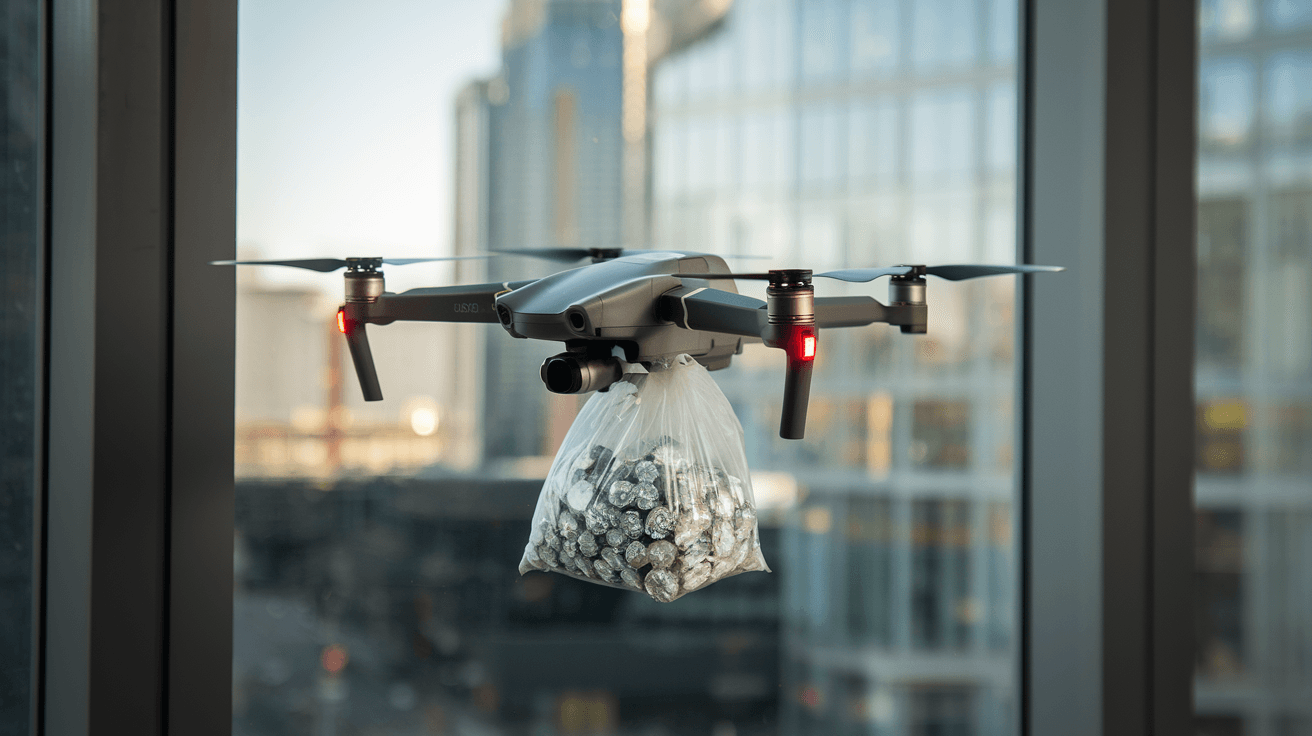
The drone is a small, remote-controlled device you can pilot inside and around the casino. It gives you a bird’s-eye view of the environment without putting your character in danger. This tool is essential for gathering information about security systems, guard patrols, and entry points.
Key Features of the Drone
- Remote control: Fly the drone from a safe location.
- Camera view: See live footage on your screen.
- Stealth mode: Avoid detection by guards.
- Scanning ability: Identify cameras, lasers, and guards.
Using the drone lets you plan your heist route carefully, avoiding surprises during the actual mission.
How to Access and Deploy the Drone
Before you can use the drone, you need to unlock it during the setup phase of the Diamond Casino Heist. Here’s how to get started:
- Start the Setup Missions: Begin the heist by selecting the "Scope Out" mission.
- Choose the Drone Approach: During the setup, you’ll have an option to use the drone for reconnaissance.
- Equip the Drone: Once unlocked, you can deploy the drone from the heist planning room or your vehicle.
Tips for Smooth Deployment
- Make sure you’re in a safe spot before launching the drone.
- Use headphones to hear audio cues from the drone.
- Practice flying in open areas to get comfortable with controls.
How to Control the Drone Effectively
Flying the drone requires some practice. Here’s a simple guide to help you control it like a pro:
- Movement Controls: Use the left stick to move forward, backward, left, and right.
- Altitude Controls: Use the right stick to raise or lower the drone.
- Camera Angle: Adjust the camera angle to see above or below obstacles.
- Speed Settings: Some drones allow you to switch between slow and fast speeds.
Avoiding Detection
- Fly low and slow near guards to avoid triggering alarms.
- Stay out of camera sightlines.
- Use walls and objects as cover when moving inside the casino.
What to Look for When Using the Drone
The main goal of the drone is to gather intel. Here’s what you should focus on:
- Security Cameras: Identify their locations and blind spots.
- Laser Grids: Spot laser security systems that can trigger alarms.
- Guard Patrols: Watch guard routes and timing to avoid encounters.
- Vault Entry Points: Find the best ways to access the vault.
- Keycard Locations: Locate keycards or security passes needed for access.
Using the Drone to Mark Targets
Some versions of the heist allow you to mark points of interest directly through the drone interface. Use this feature to share intel with your crew.
Using the Drone for Different Heist Approaches
The Diamond Casino Heist offers multiple approaches, and the drone helps tailor your strategy for each:
Silent & Sneaky Approach
- Use the drone to find quiet entry points.
- Avoid guards and cameras by mapping their patrols.
- Identify ventilation shafts or underground tunnels.
Aggressive Approach
- Scout guard positions for quick takedowns.
- Locate weapons or explosives caches.
- Plan escape routes with minimal resistance.
Big Con Approach
- Use the drone to spot staff uniforms and disguises.
- Find security checkpoints to bypass.
- Identify key NPCs to interact with during the con.
Common Mistakes to Avoid When Using the Drone
Even experienced players can slip up. Here are some pitfalls to watch out for:
- Flying too high or fast: This can alert guards or cameras.
- Ignoring audio cues: The drone emits sounds that can give away your position.
- Not sharing intel: Failing to communicate drone findings with your team wastes valuable information.
- Rushing the scouting phase: Take your time to gather thorough intel.
How to Use Drone Intel to Plan Your Heist
Once you’ve gathered all the information, it’s time to plan. Use the drone footage to:
- Choose the best entry and exit points.
- Time your movements to avoid guards.
- Decide which crew members handle specific tasks.
- Prepare for unexpected obstacles like extra security.
Example Planning Table
| Intel Type | Action Plan | Crew Member Assigned |
| Guard Patrols | Avoid main hall during patrol times | Stealth specialist |
| Laser Grids | Disable lasers via security room | Hacker |
| Vault Entry | Use underground tunnel access | Muscle |
| Cameras | Use blind spots for movement | Driver |
Using the Drone During the Heist
In some heist setups, you can redeploy the drone during the actual heist. This allows you to:
- Check for unexpected guard movements.
- Scout new areas after alarms trigger.
- Guide teammates through complex sections.
Keep in mind that using the drone during the heist requires careful timing to avoid detection.
Upgrading Your Drone for Better Performance
Some game updates and mods allow you to upgrade your drone. Consider these enhancements:
- Improved camera zoom: For better detail at long distances.
- Faster speed: To cover more ground quickly.
- Silent mode: Reduces noise to avoid detection.
- Extended battery life: Longer flight time for thorough scouting.
Upgrading your drone can make a big difference in how smoothly your heist goes.
Conclusion
Using the drone in the Diamond Casino Heist is a powerful way to gain the upper hand. It helps you scout the casino, avoid security, and plan your moves carefully. By mastering drone controls and paying attention to details like guard patrols and cameras, you can make your heist more efficient and less risky.
Remember, patience and communication with your crew are key. Use the drone to gather as much intel as possible before you strike. With practice, you’ll find the drone becomes an indispensable tool for pulling off the perfect casino heist.
FAQs
How do I unlock the drone in the Diamond Casino Heist?
You unlock the drone during the setup missions by choosing the drone approach in the "Scope Out" phase. Completing this mission grants you access to the drone for reconnaissance.
Can the drone be detected by guards?
Yes, if you fly the drone too high, too fast, or into camera sightlines, guards can detect it. Flying carefully and using cover helps avoid detection.
Is it possible to use the drone during the actual heist?
In some heist setups, you can redeploy the drone during the heist to scout new areas or check guard positions, but it requires careful timing to avoid triggering alarms.
What should I focus on when scouting with the drone?
Focus on security cameras, laser grids, guard patrols, vault entry points, and keycard locations. These details help you plan your approach and avoid detection.
Can I upgrade the drone for better performance?
Yes, some game updates and mods allow you to upgrade your drone’s speed, camera zoom, battery life, and noise levels, improving your scouting capabilities.